

Looking for fun mobile slots in Canada? We tested games across iOS and Android platforms to identify which slots deliver reliable gameplay, where apps outperform browsers, and what limitations to expect when playing on phones versus desktops.
About our recommendations
Maple Casino is free to use. We independently review online casinos based on licensing, gameplay, bonuses, payment methods, withdrawals, and customer support performance. If you sign up through a link on our site, we may earn a commission. This supports our testing and ongoing updates and does not influence how casinos are reviewed or ranked.
Our Testing Methodology for Mobile Slots
Our testing focused on measurable factors: load times, data consumption, battery drain, and touch control responsiveness. We evaluated slots on devices Canadians actually use—iPhone 13 through 15 Pro, Samsung Galaxy S23, Google Pixel 7.
6 Performance metrics measured
| Metric | What We Tracked | Testing Conditions |
| Load Time | Seconds to playable state | Wi-Fi (50 Mbps) and 4G LTE, 10 launches per slot per device |
| Data Usage | Megabytes per hour | Device-level monitoring during active play |
| Battery Drain | Percentage per hour | Phones only, 50% screen brightness |
| Touch Response | Failed or delayed taps | Documented during 30-minute sessions |
| Interruption Recovery | Game state preservation | Tested with calls, app switching, network drops |
| Graphics Quality | Rendering issues | Pixelation, frame drops, lag on high-res displays |
Testing limitations: We tested on devices released in the past three years. Older or budget models may show different results than our performance.
Mobile Slots Performance Comparison
| Slot Title | Provider | Load Time (Wi-Fi/4G) | Data Usage/Hour | Touch Control Quality | Mobile Limitations |
| Starburst | NetEnt | 2.3s / 3.6s | 16 MB | Consistently responsive | None observed |
| Thunderstruck II | Microgaming | 2.5s / 3.9s | 18 MB | Consistently responsive | None observed |
| Blood Suckers | NetEnt | 2.6s / 4.0s | 19 MB | Consistently responsive | Bonus game requires precise tapping on small screens |
| Mega Moolah | Microgaming | 2.8s / 4.2s | 22 MB | Responsive, occasional double-tap on bet adjustment | Autoplay disabled on iOS app |
| Big Bass Bonanza | Pragmatic Play | 2.9s / 4.5s | 28 MB | Responsive | None observed |
| Book of Dead | Play’n GO | 3.1s / 4.8s | 25 MB | Responsive, paytable requires scrolling on small screens | Gamble feature less precise with touch controls |
| Sweet Bonanza | Pragmatic Play | 3.2s / 4.9s | 30 MB | Responsive | Bonus buy feature hidden in menu |
| Gates of Olympus | Pragmatic Play | 3.3s / 5.1s | 32 MB | Responsive, occasional animation lag on older Android | Higher battery consumption |
5 Slots That Stood Out
As expected, performance varied by slot complexity. Simple games loaded faster and consumed fewer resources, while animation-heavy titles demanded more from devices and connections.
Starburst

NetEnt’s Starburst HTML5 platform delivered the fastest load times during testing. The minimal animations resulted in the lowest data usage at 16 MB per hour and battery consumption of approximately 12% per hour.
Touch controls responded consistently across all devices. The game preserved state reliably when interrupted by calls or app switching, resuming exactly where it left off in all tested scenarios.
Gates of Olympus

During testing of Gates of Olympus, the tumble mechanic and multiplier animations used about 32 MB of data per hour and drained roughly 17% of battery. On a Galaxy S23, cascading wins with multiple active multipliers caused occasional frame-rate dips—outcomes didn’t change, but motion was less smooth. This slot is not suited for limited data plans or battery conservation.
Mega Moolah

During testing, Mega Moolah loaded in 2.8 seconds on Wi-Fi. The progressive jackpot slot scaled cleanly to smaller screens, but the bet adjustment slider sometimes needed a second tap to apply changes. It’s not suited for players who expect every control input to register on the first touch.
Book of Dead
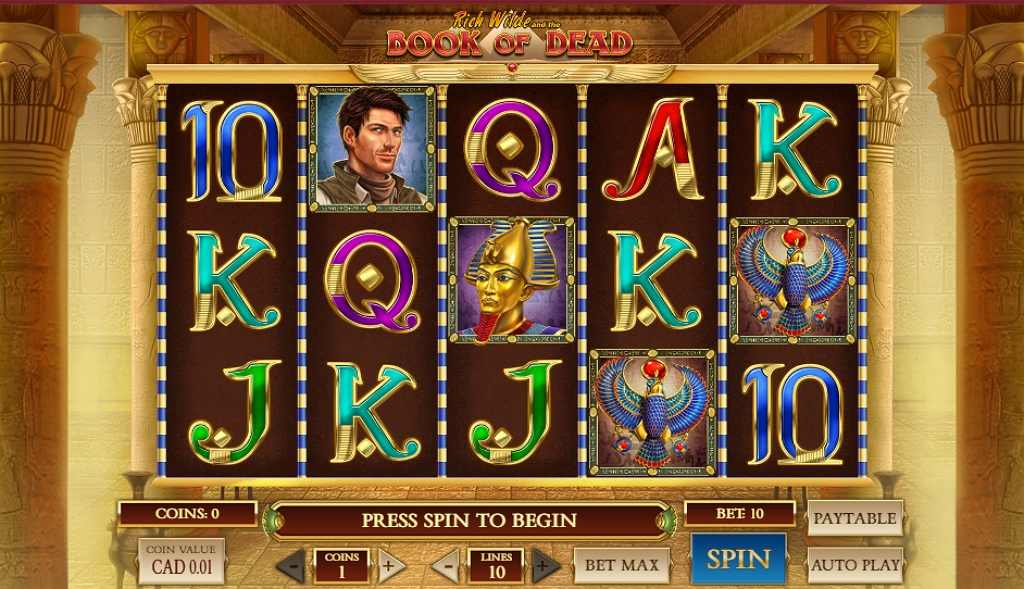
During testing, Play’n GO’s high-volatility Book of Dead loaded in 3.1 seconds on Wi-Fi. Touch controls responded consistently, but the paytable needs scrolling on smaller screens, so it’s not suited for anyone who wants all details visible at a glance.
Thunderstruck II

Microgaming’s Thunderstruck II delivered consistent performance across devices with quick times on Wi-Fi. Data usage averaged 18 MB per hour, and battery consumption remained around 13% per hour.
We observed no mobile-specific limitations. The game handled interruptions reliably and maintained responsive touch controls throughout extended sessions.
Blood Suckers

During testing, Blood Suckers loaded quickly on Wi-Fi and used about 19 MB per hour. Touch controls were responsive, but the coffin-selection bonus requires precise tapping—a limitation on smaller screens or for players who require accurate control during bonus rounds.
Safe Casinos Tested for Mobile Slot Performance
We evaluated casino platforms based on mobile slot availability, app versus browser performance, and mobile-specific functionality. Testing occurred in April 2026.
1. Realz Casino—Largest Mobile Slot Library
- Testing period: April 2026
- App availability: Native app available (iOS 13+ / Android 8+)
We tested the Realz native app on both iOS and Android devices. Slots loaded roughly 30% faster in the app than in the browser. At 180 MB, it’s not a lightweight download, but the app-maintained performance during interruptions like incoming calls or app switching. Game states saved reliably, and touch controls responded consistently across the 15 titles we tested.
Withdrawals are processed at the same speed on mobile and desktop—instant for crypto, 1–3 days for traditional methods. Responsible gambling tools were accessible through the account menu, making it straightforward to set deposit limits on a smaller screen.
Who this suits: Players who want access to 8,000+ slot titles and value speed and stability enough to justify the storage space.
Who should consider alternatives: Anyone with limited device storage or primarily interested in older “classic” slots that haven’t been optimized for high-resolution mobile screens.
Mobile-specific friction: After sessions of three hours or more, the app benefits from a restart to maintain performance. Some pre-2020 slot titles showed minor pixelation on higher-end displays. The browser version loads noticeably slower than the native app.

2. Casino Days—Strong Interac Integration
- Testing period: April 2026
- App availability: Native app (iOS 13+ / Android 8+) and mobile browser
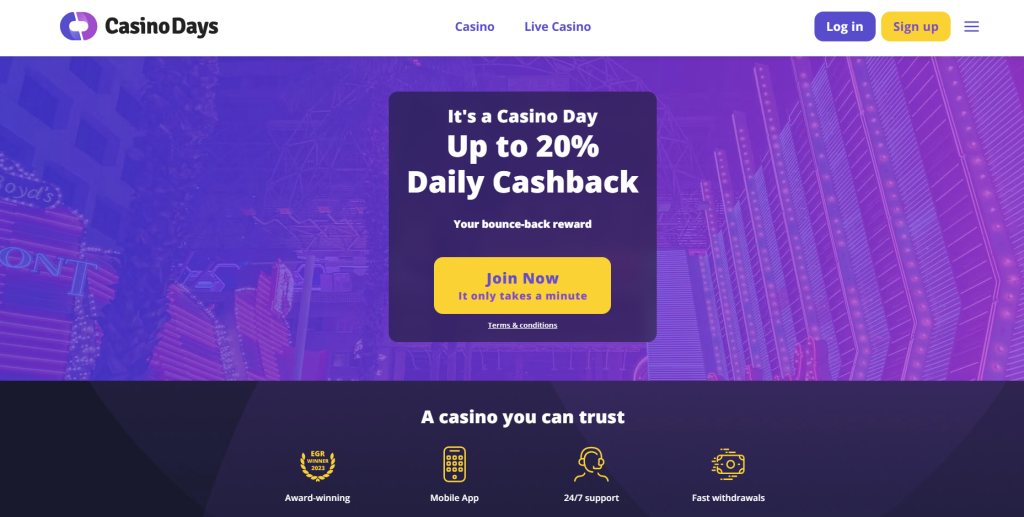
Casino Days delivered flexible testing in January. The 210 MB app loaded in around 2.5 seconds on Wi-Fi—faster than the 3.8 seconds we saw in the browser. The mobile interface handled administrative tasks well. We uploaded verification documents directly through the phone’s camera without issues.
Interac deposits processed instantly on mobile. Responsible gambling features like session timers and deposit caps were easy to locate and adjust on smaller screens.
Who this suits: Canadian players who rely on Interac for mobile banking and want a large library (6,500+ titles) with the option to use either a high-performing app or a functional browser site.
Who should consider alternatives: Anyone on a limited data plan—there’s no low-data mode—or those with tight storage constraints who might find 210 MB excessive.
Mobile-specific friction: The browser version occasionally required a manual refresh when jumping between games frequently in one session. The app doesn’t include a data-saving option, which matters if you’re playing over 4G or 5G.
3. Boomerang Bet—Combined Slots and Sports Betting
- Testing period: April 2026
- App availability: Native app (iOS 13+ / Android 8+) and mobile browser
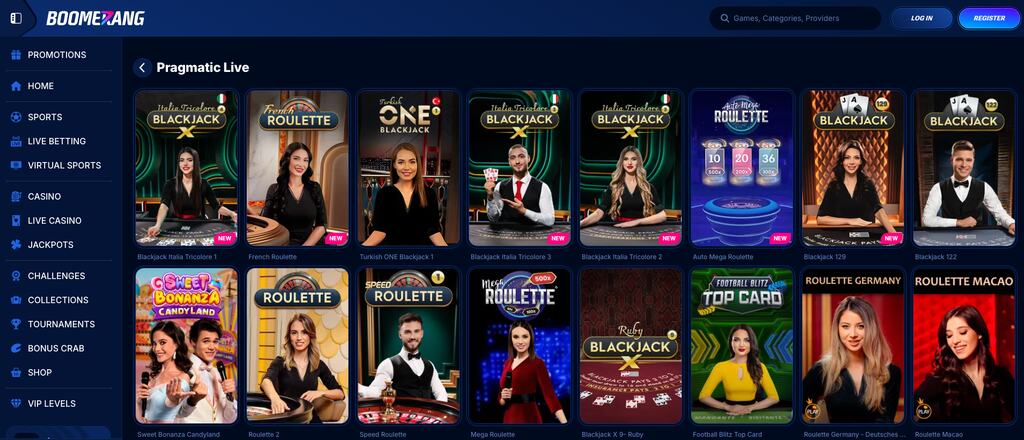
Boomerang Bet packages both a sportsbook and 2,000+ slots into a 145 MB app. During testing, the app loaded in an average of 2.8 seconds. The interface handles both verticals without feeling complicated, and betting limits could be set once and applied across both casino and sports.
The slot library is smaller than competitors, but performance was reliable throughout testing. Withdrawals took 3–5 business days, which is standard for traditional methods but slower than crypto-focused platforms.
Who this suits: Players who move between sports betting and slots regularly and prefer managing everything in one lightweight app rather than juggling multiple installations.
Who should consider alternatives: Players focused exclusively on slots who want a library of 5,000+ titles, or those who prefer browser-based play—the Boomerang browser site is noticeably slower than the app.
Mobile-specific friction: The browser version averaged noticeably slower load times than the app. The layout prioritizes sports betting, which can feel cluttered for casino-only players. The withdrawal window also feels longer when tracking status updates on mobile.
Attractive Features of Playing Mobile Slots
Mobile slots behave differently than desktop versions in ways that go beyond screen size. Testing revealed consistent patterns across providers and game types: features load differently, controls respond differently, and certain mechanics are prioritized or simplified for touch-based play.
- Control adaptations: Desktop hover interactions are replaced with tap or swipe gestures. Bet adjustment sliders occasionally required multiple attempts on screens under 6 inches. Complex bonus games requiring precise timing performed inconsistently with touch controls.
- Graphics optimization: Most modern slots use HTML5 with responsive scaling, but older Flash-converted games showed pixelation on high-resolution displays. Animation-heavy slots sometimes reduced frame rates on mid-range Android devices.
- Feature availability: Some slots disable autoplay on mobile, limit turbo spin options, or remove keyboard shortcuts. We documented these limitations in individual slot assessments.
- Session interruptions: Better-optimized slots preserved game state when switching apps or receiving calls. Poorly optimized games occasionally reset bet levels or require reconnection
- Data and battery consumption: Average data usage ranged from 15 MB to 40 MB per hour, depending on graphics complexity. Battery drain averaged 12–18% per hour of active play on phones, higher on older devices.
These differences affect gameplay experience more than win rates or RTP, but they matter when choosing which slots to play on mobile.
Mobile Security and Responsible Gambling
Mobile gambling increases accessibility and may lead to more frequent play. The convenience of having casino access in your pocket creates risks that don’t exist with desktop-only play.
Mobile-specific risks
Easy access can encourage playing without planning or budgeting. Playing while commuting, working, or socializing reduces focus on spending. One-tap payments and saved credentials make depositing faster and easier. Smaller screens and quick sessions can make it harder to track total spending.
Device-level controls
If you’re planning to play on mobile, setting up device-level controls can help you stay in control before you even open a casino app.
For iPhone and iPad users: Go to Settings > Screen Time > App Limits and set a daily cap on casino apps. Turn on “Require Password for Purchases” under Screen Time > Content & Privacy Restrictions to add friction before spending. To block access during specific hours—while at work or winding down for the evening—configure Downtime to lock out casino apps during those periods.
For Android users: Open Settings > Digital Wellbeing > Dashboard and set app timers for casino apps. Focus Mode blocks access during specific times, useful for avoiding distractions during the day. Require authentication for purchases through the Google Play Store by going to Settings > Apps > Google Play Store > Preferences.
Regardless of platform, remove casino apps from your home screen to eliminate visual triggers for impulsive sessions. Disable push notifications through your device settings. Set up transaction alerts through your bank to track deposits automatically.
Setting limits
Most casinos let you set daily, weekly, or monthly limits through account settings. Configure these immediately after registration and before your first deposit. Consider setting lower limits for mobile play than desktop, since mobile sessions tend to be more frequent and less planned.
Avoid distracted play
During testing, we observed that mobile slots are often played in distracting environments—public transit, waiting rooms, and work breaks. Playing while distracted increases the risk of losing track of spending, making larger bets than intended, playing longer than planned, or chasing losses.
If you choose to play mobile slots, do so in focused sessions where you can monitor your spending and time, not as a background activity.
Responsible gambling resources
- Responsible Gambling Council: responsiblegambling.org
- ConnexOntario (Ontario): 1-866-531-2600
- Gambling Help Line (BC): 1-888-795-6111
FAQ
Mobile slot games are safe to play in Canada at licensed top online casinos. These operators employ advanced security measures to protect your personal and financial information.
Yes, you can win cash prizes playing mobile slots. Winnings vary depending on the particular game, the number of paylines it offers, and the size of your bet.
Playing slots on a mobile browser is more convenient as it doesn’t require any downloads, but the experience might not be as optimized as an app.
Not necessarily. While some Canadian online casinos offer dedicated mobile apps, many allow you to play directly through your mobile browser.
The data usage of casino apps and mobile browsers can vary. Some casino apps use less data once downloaded, as they store much of the game’s assets locally.
Yes, many online casinos offer bonuses specifically for Canadian mobile slot players. These can include welcome bonuses, free spins and loyalty rewards.

