

Looking for Android casinos that actually work on your device? We tested the best Android casinos in Canada and evaluated their APK stability, manufacturer-specific compatibility issues, and OS fragmentation to help you find options that run smoothly on Samsung, Google, OnePlus, and other Android devices.
About our recommendations
Maple Casino is free to use. We independently review online casinos based on licensing, gameplay, bonuses, payment methods, withdrawals, and customer support performance. If you sign up through a link on our site, we may earn a commission. This supports our testing and ongoing updates and does not influence how casinos are reviewed or ranked.
Methodology: How We Test Android Casinos
This page is written for players who primarily use Android phones or tablets and want a casino experience that actually holds up on mobile. That means stable loading, responsive touch controls, and smooth gameplay across real sessions. We test Android casino platforms on a variety of devices, focusing on loading speed, navigation, app vs browser performance, and mobile withdrawals.
What we measure
- Load times: How long it takes for the casino site or app to open and for games to become playable.
- APK installation: Whether the app requires sideloading, what security warnings appear, storage consumption, and whether updates are automatic or manual.
- Payment processing: How Interac deposits work on mobile (there’s always app-switching involved), whether Google Pay integrates smoothly, and if payment methods break on specific Android versions.
- Touch responsiveness: Whether buttons register on the first tap, if betting interfaces require zooming, and whether landscape mode is necessary for table games.
- Battery and data use: Battery drain during active play and mobile data consumption for off Wi-Fi play.
- App vs. browser testing: Both native APK apps (where available) and mobile browsers are tested to see which is better. Some casinos only offer browser access, while others push APK downloads.
Meet the author
Matthew Pitt: Matthew’s writing combines a passion for gameplay, understanding the needs of the players and the evolving mechanics of each game. He brings clarity, experience and enthusiasm to every article he pens.
Android Casino Platform Comparison
| Casino | App Type | Min. Android | Mobile Games | Mobile Payments | Best For |
| Realz | Browser only | Android 11+ | 8,000+ | 13+ methods | Browser-based Android play |
| Lama Bet | App + browser | Android 10+/11+ | 6,000+ | 17+ methods | Cross-platform interface parity |
| Rooli | Browser only | Android 10+ | 5,500+ | 23+ methods | Mobile browser stream stability |
| Crowngreen | App + browser | Android 10+/12+ | 2,500+ | 3+ methods | local asset caching and load speeds |
| Slots Vader | App + browser | Android 11+ | 15,000+ | 19+ methods | Library depth |
Android Casinos Across Every Category
1. Realz Casino — Best for browser-based Android play
- App availability: Mobile browser only (no APK)
- Minimum Android version: Android 11+
During testing, Realz Mobile Casino performed reliably on both Android and iOS devices via its HTML5 platform, with stable loading times and responsive touch controls. Gameplay performance was consistent across all playtests.
Who this suits: players who prefer browser access without installing apps, users with limited storage, and those comfortable switching between apps for Interac payments.
Who should consider alternatives: players using Android 10 or older, and those who want biometric login and faster load times.
Mobile-specific friction: take note that browser tabs close easily during sessions and that you can’t save favourite games.

2. Lama Bet — Best for cross-platform interface parity
- App availability: Dedicated Android & iOS apps (plus mobile browser)
- Minimum Android version: Android 11+ (App) / Android 10+ (Browser)
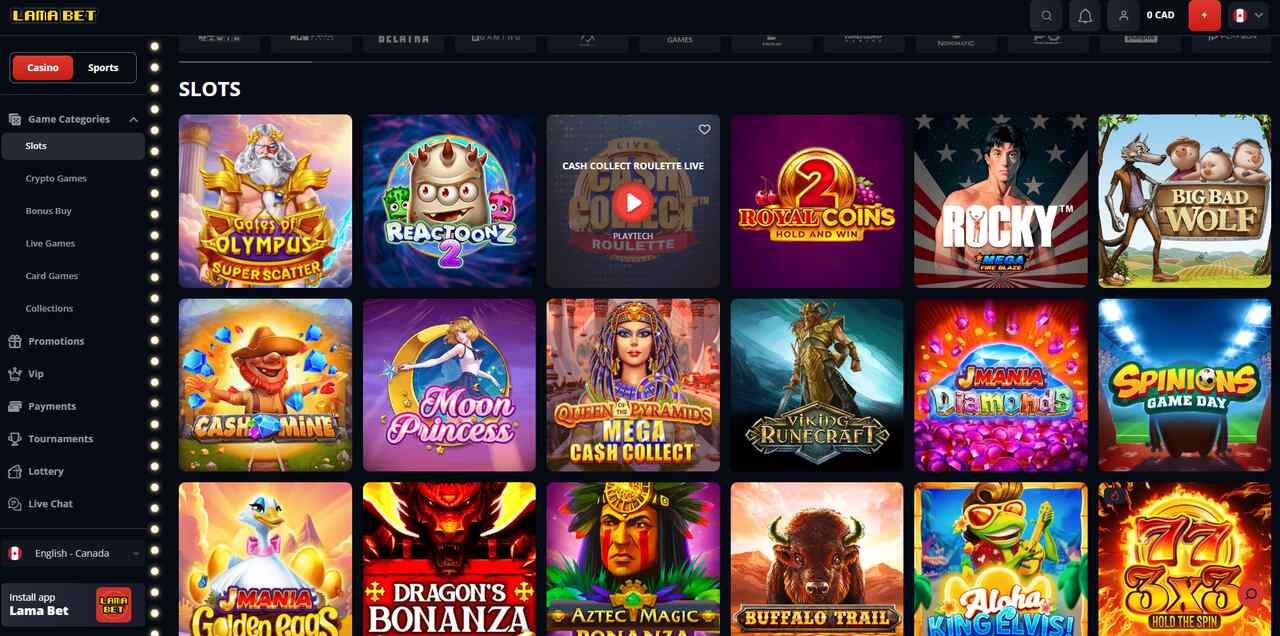
Switching between the app and browser showed no layout differences or missing features. The nine-part welcome package tracks through your mobile dashboard, and crypto or e-wallet withdrawals processed in under 30 minutes, even when using mobile data.
Who this suits: Players who switch between app and browser frequently, and those who need a dashboard to track multi-stage bonuses.
Who should consider alternatives: Players who find a 50x wagering requirement steep, or those that require phone support.
Mobile-specific friction: App notifications are frequent unless adjusted. Some older titles feel cramped in portrait mode.
3. Rooli Casino — Best for mobile browser stream stability
- App availability: Mobile browser only (Web App/PWA support)
- Minimum Android version: Android 10+
Rooli uses a minimal design focused on live dealer games. During testing, live blackjack and roulette streams held resolution on older Android devices without noticeable lag. The PWA framework functions like a native app within your browser.
Who this suits: Live casino players who prioritize stable HD streams and users preferring no downloads.
Who should consider alternatives: Players who seek variety in RNG table games, as the library leans toward slots and live content.
Mobile-specific friction: Be aware that there is no biometric login without a native app.

4. Crowngreen Casino — Best for local asset caching and load speeds
- App availability: Native iOS & Android apps
- Minimum Android version: Android 12+ (App) / Android 10+ (Browser)
Crowngreen’s native apps cache assets locally, reducing game load times, especially when compared to the browser version. Navigation stayed consistent across lobby and live dealer sections during our review. the site successfully avoids the tab-switching delays common on mobile sites.
Who this suits: Players who want technical stability and faster loading through a dedicated app.
Who should consider alternatives: Players with limited storage or those looking for app-only promotions.
Mobile-specific friction: There are no mobile-exclusive bonuses currently available on the platform.

5. Slots Vader — Best for library depth
- App availability: Mobile browser only
- Minimum Android version: Android 11+
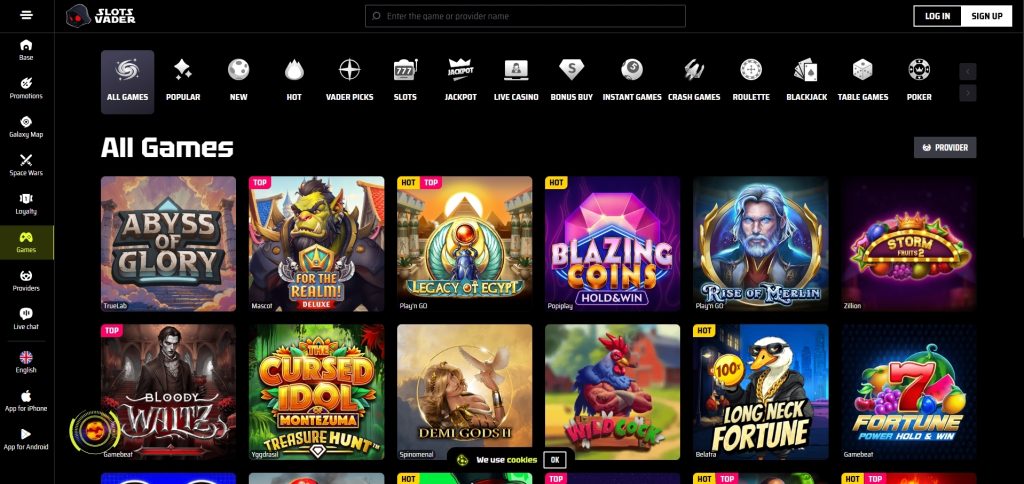
Slots Vader hosts over 15,000 games via responsive HTML5 technology. This means there’s no download needed. Testing showed the site handles high content volume without crashing, though memory usage climbs during extended sessions.
Who this suits: Players focused on accessing maximum slot variety without installing software, and those who are comfortable with a minimum deposit.
Who should consider alternatives: Players who prefer native app security features.
Mobile-specific friction: Navigating 15,000 games on a small screen requires heavy filter use and more scrolling than desktop.
Which Games Perform Well (and Which Don’t) on Android
In our tests, fast-paced slots and crash-style games performed reliably across most Android devices, while live tables with HD streaming showed more variability on older phones.
Book of Egypt
Book of Egypt from Platipus is built on HTML5 technology, allowing it to run smoothly on mobile browsers. The Egyptian theme and straightforward 5-reel, 10-payline layout make it a familiar option for mobile slot players, with performance suited to short sessions on Android devices.

Editor’s note:
Rise of Olympus
Rise of Olympus from Play’n GO builds on the developer’s familiar 5×5 grid format, with the Hand of God and Wrath of God features integrating smoothly into a layout that remains clear and easy to navigate on mobile screens.

Editor’s note:
Big Wild Buffalo
At first glance, Belatra’s Big Wild Buffalo may appear like a standard Android slot, but its straightforward layout and simple mechanics translate well to mobile play, delivering a smooth experience on smaller screens.

Editor’s note:
Multi-Hand Classic Blackjack
Multi-Hand Classic Blackjack shows that simplicity can be effective. Its pared-back visuals and straightforward rules ensure smooth performance and easy navigation on Android devices, matching the experience found on desktop.

Editor’s note:
Mini Baccarat
Mini Baccarat by Play’n GO is well-suited to mobile play. Its streamlined interface and intuitive controls ensure fast, responsive gameplay on smartphones and tablets.

Editor’s note:
Android Security and Responsible Gambling
APK installation security
Before you install an APK file, there are several tips to remember to ensure safety. The first is to only download APKs from official casino websites that have valid SSL certificates. This will ensure you don’t download files from unauthorized providers. You may also be prompted to enable “Unknown Sources” in your Android settings. This is a normal request. Once you do this, the app will install on your device.
Device security requirements
You should always configure your device security before installing a casino application. This includes setting up basic device security like PINs, patterns, passwords, or biometric authentication.
Most reputable apps will only request access to storage, network connectivity, and location services. If an app requests permissions unrelated to its core gambling functions, you should question whether you’re willing to provide such permissions.
Mobile-specific responsible gambling considerations
Mobile devices allow gambling during commutes, work breaks, and other situations where desktop access isn’t available.
Android’s Digital Wellbeing features allow setting app timers and daily usage limits (Settings > Digital Wellbeing > Dashboard > select casino app > App timer). You can also set deposit limits, session timers, or cooling-off periods directly through your casino account settings before starting mobile play. Establishing these limits in advance can provide more effective protection against impulsive decisions.
Mobile-friendly responsible gambling resources
Canadian problem gambling resources are accessible from mobile devices:
- ConnexOntario: 1-866-531-2600
- National Council on Problem Gambling: ncpgambling.org
- Responsible Gambling Council: www.responsiblegambling.org
Explore More Mobile Casino Guides
If you want to go deeper into how mobile gambling works in Canada, the guides below focus on specific mobile experiences, payment flows, and device compatibility, all reviewed from a player-first perspective.
- Mobile casino reviews – Casinos tested specifically for mobile performance, load speed, and in-play stability
- Casino app vs mobile site comparison – How native casino apps compare to browser-based mobile casinos in real-world use
- iOS casinos – What iphone and ipad users should expect when playing casino games on ios devices
- Apple Pay– How Apple Pay works for deposits and withdrawals on mobile casinos in Canada
- Google Pay – Using Google Pay for faster, mobile-friendly casino payments on Android devices
FAQ
APK apps downloaded from official casino websites with valid SSL certificates are generally safe, but installation requires enabling “Unknown Sources”. This creates potential security risks if you later download APKs from untrusted sources. Its best to disable “unknown sources” after you’ve downloaded the app you wanted.
Yes. Mobile Interac deposits require switching to a banking app for authentication, adding 30–60 seconds versus desktop deposits. During testing, multi-app switching occasionally resulted in session timeouts when authentication exceeded 2–3 minutes.
Game compatibility issues typically relate to Android OS version, device RAM, or browser compatibility. Games requiring significant processing power may not function smoothly on devices with less than 6 GB RAM.
This all depends on your preference as both options work. Apps provide faster load times but require APK sideloading and manual updates, while browser access provides immediate availability without installation. It also depends on the platform’s app availability.
No. Withdrawal processing times were identical on mobile and desktop platforms. Mobile document verification for first withdrawals proved more cumbersome than desktop verification.

